
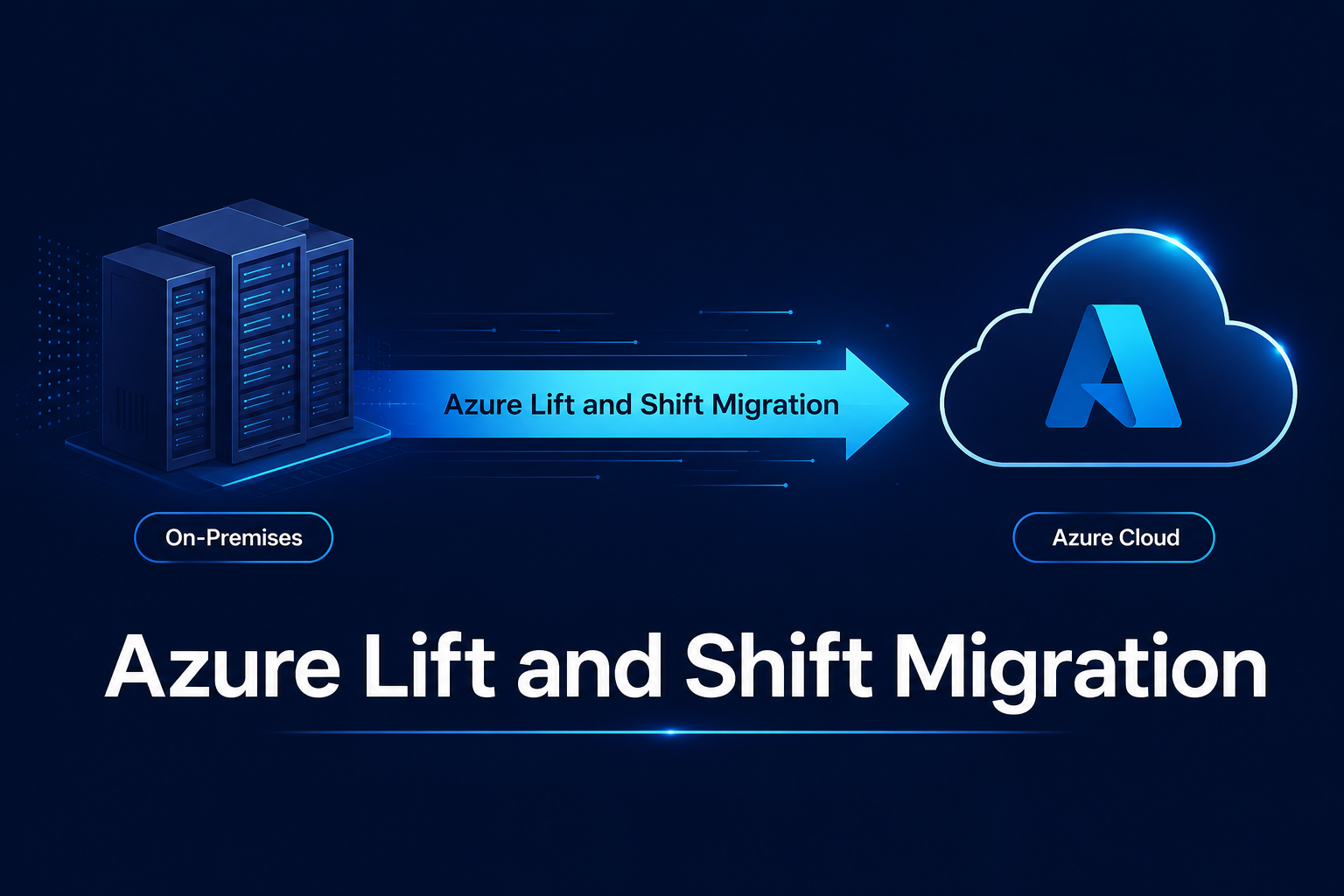
Lift and shift migration means picking up your existing servers, applications, and data and moving them over to Azure virtual machines. No rewriting application code. No overhaul of the core architecture. Everything runs pretty much the exact same way as it did before only the physical infrastructure underneath it changes.
Most teams pick this route when they’re backed into a corner. Maybe your data lease is expiring in a few months, hardware is hitting end-of-life, or vendor license renewals are getting ridiculously expensive. Lift and shift is the quickest path to get out. It won’t instantly turn your applications into cloud-native powerhouses, but that modernization work can wait until after you’re safely migrated which is usually where the biggest cost savings hide anyway.
Below is a breakdown of when lift and shift actually makes sense, the steps and tools you’ll need, how to plan a cutover without breaking things, and what to focus on once you’re live in Microsoft Azure based on real client experience.
What is lift and shift migration?
In Microsoft’s Cloud Adoption Framework, lift and shift is officially called rehosting. You take an entire workload operating system, app code, dependencies, and data and recreate it inside Azure virtual machines.
If you run a line-of-business app on a Windows Server on-prem, running it on an Azure VM feels identical. Users log in the exact same way, and the codebase stays completely untouched, so there are zero functional surprises.
That stability is great, but it’s a double-edged sword: you avoid the risk of breaking things during a redesign, but you also end up bringing all your existing tech debt and inefficiencies straight into the cloud.
When lift and shift makes sense (and when it doesn’t)
Rehosting is usually your best option when:
- You’re racing against the clock. If a data centre lease ends in three months, refactoring app code isn’t realistic.
- Legacy systems are untouched and unmaintained. The app works fine, but the developers who built it left years ago.
- You’re using off-the-shelf software. Proprietary, third-party software doesn’t let you touch the source code anyway.
- It’s just phase one. Rehosting gets you into Azure quickly so you can gather real performance data before modernizing individual apps later.
On the flip side, avoid rehosting if:
- Licensing is tied to hardware. Some legacy software agreements tie licenses directly to physical CPU sockets or MAC addresses, causing major compliance headaches in the cloud.
- Chatty applications hate network latency. Splitting tightly coupled systems between on-prem and Azure usually causes severe lag.
- A full rewrite is already on the roadmap. Moving everything twice wastes time and money.
- Current infrastructure is cheap to run. Moving massive, over-provisioned VMs without resizing them first almost always inflates your monthly cloud bill.
Lift and shift vs replatform vs refactor
Lift and shift isn’t the only option. Here’s how it compares to the other common approaches:
| Approach | What changes | Speed | Upfront effort | Long-term cloud benefit | Example |
| Rehost (lift and shift) | Nothing in the app; only the infrastructure | Fastest | Lowest | Limited | A Windows Server app moved to an Azure VM |
| Replatform | Small changes to use managed services | Moderate | Moderate | Good | SQL Server on a VM moved to Azure SQL Managed Instance |
| Refactor / rearchitect | Code and design | Slowest | Highest | Highest | A monolithic app rebuilt on containers or PaaS services |
Realistically, most projects use a mix of all three. You lift and shift the bulk of your estate to meet hard deadlines, replatform databases where it’s easy, and save deep refactoring for the high-value applications that actually warrant the effort.
Azure lift and shift migration steps
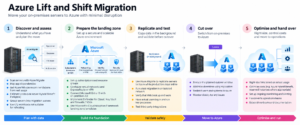
1. Discover and assess
Get an accurate inventory. Azure Migrate scans servers, uncovers hidden app dependencies, and recommends realistic Azure VM sizes based on real utilization metrics.
Don’t skip dependency mapping! If you migrate an application server but forget the random background file share or auth service it relies on, the whole system goes down on day one.
Use assessment findings to:
- Estimate costs via the Azure pricing calculator (apply Azure Hybrid Benefit if you have eligible licenses)
- Group connected servers into logical migration waves
- Flag workloads that aren’t good candidates for rehosting
2. Prepare the landing zone
Build out your Azure environment before moving anything:
- Subscriptions and resource groups: Set these up according to your management and billing structure.
- Networking: Configure virtual networks, plus ExpressRoute or VPN connections back to on-prem for hybrid operation during cutover.
- Identity: Connect Microsoft Entra ID with your existing Active Directory.
- Security baseline: Implement Microsoft Defender for Cloud, Azure Key Vault, and firewalls/NSGs.
Check Microsoft’s Cloud Adoption Framework landing zone templates for proven starting blueprints.
3. Replicate and test
Azure Migrate quietly copies data in the background while production stays online without disrupting users.
Run a test migration in an isolated network before cutover day. Don’t just verify that the VM boots up have actual users log in, run queries, process transactions, and check third-party integrations.
4. Cut over
This is the official switch from on-premises to Azure (details below on minimizing downtime during this window).
5. Optimise and hand over to operations
Once live, focus pivots to right-sizing, cost control, and operational handoff.
Azure lift and shift migration tools
| Tool | Use it for | Notes |
| Azure Migrate | Discovery, assessment, dependency analysis and server migration | The central hub for most migrations |
| Azure Database Migration Service | Moving SQL Server databases to Azure | Supports SQL Server on Azure VMs as well as managed options |
| Azure Data Box | Transferring large volumes of data offline | Microsoft ships a physical device when network transfer would take too long |
| Azure Site Recovery | Replication and failover, and disaster recovery after migration | Also gives you a failback path during cutover |
| Azure pricing calculator | Estimating running costs before you commit | Include Hybrid Benefit and reservations in the estimate |
Planning a minimal-downtime cutover
- Most migration risks center on the cutover window. Careful planning keeps downtime brief and manageable:
- Keep replication continuous. Continuous sync means the final delta transfer during cutover is much smaller and faster..
- Drop DNS TTL settings beforehand. Lowering TTL values a few days early ensures clients pick up the new Azure IP addresses almost immediately when you switch over.
- Schedule around actual usage lows. Check usage metrics to find quiet windows they don’t always fall on weekends.
- Enforce a change freeze. Stop all non-essential changes on source systems while cutover is active.
- Establish clear rollback triggers. Decide explicitly what failures warrant a rollback and who has final authority before kicking off cutover.
- Validate post-cutover operations. Confirm app workflows, backups, monitoring alerts, and security tooling before declaring success.
On one of our client projects, leveraging Azure Site Recovery for failover and failback gave the team a tested return path to on-prem had anything failed post-cutover.
Migrating Windows Server and SQL Server workloads
Windows and SQL Server workloads represent a huge percentage of migration projects. A few key details to keep in mind:
Azure Hybrid Benefit allows reusing existing Windows and SQL Server licenses with Software Assurance, cutting cloud licensing costs.
Impending end-of-support dates often drive migrations; moving early gives you room to plan upgrades smoothly.
Choose your SQL path. Rehosting SQL Server directly on an Azure VM offers max control and minimal change. Stepping up to Azure SQL Managed Instance eliminates OS patching while retaining high SQL Server compatibility.
Can you lift and shift SSIS packages?
Yes! The Azure-SSIS Integration Runtime in Azure Data Factory runs legacy SSIS packages with little or no modification, storing catalogs on Azure SQL Database or Managed Instance.
This lets you move existing ETL pipelines as-is today and refactor them natively inside Data Factory later when convenient.
Post-migration optimisation in Azure
Moving to Azure is step one. Real savings come from post-migration optimisation.
In one migration, we helped a client slash running costs by roughly 40% through post-migration right-sizing and pricing optimisations.
Right-size using live telemetry. On-premises servers are historically over-provisioned. In Azure, you pay for what you allocate, so review CPU and memory usage after a few weeks to shrink oversized VMs.
Leverage Azure Advisor. It continuously identifies underutilized resources and cost reduction opportunities.
Commit after stabilizing usage. Azure Savings Plans and Reserved Instances deliver deep discounts over standard pay-as-you-go rates. Wait until performance baselines settle before locking in 1-year or 3-year commitments.
Turn off unused environments. Automated shutdown schedules for dev/test VMs yield quick wins.
Establish robust monitoring. Deploy Azure Monitor for operational insight and Defender for Cloud for security compliance.
Target workloads for modernization. With real operational metrics, pinpoint high-cost or slow applications to replatform or refactor next.
What we’ve learned from real Azure migrations
A mid-sized enterprise approached us struggling with high operating costs, slow releases, and scaling limitations on a legacy 3-tier architecture. Security was a growing concern.
We executed a 5-phase migration strategy:
- Discover: Mapped applications and established baseline performance using Azure Migrate.
- Assess: Evaluated resource utilization and projected cloud operational costs.
- Migrate: Replicated on-prem workloads to target Azure VMs smoothly.
- Cut over: Executed failover using Azure Site Recovery with failback ready as a safety net.
- Optimise: Scaled down over-provisioned VM resources post-cutover.
The result: 40% cost reduction, enhanced scalability, better performance, and a vastly stronger security posture backed by Azure’s built-in protections.
Frequently asked questions
Is lift and shift the same as rehosting?
Yes. “Lift and shift” is the informal industry term, while “rehost”
is the official classification used in Microsoft’s Cloud Adoption Framework.
Both refer to moving workloads to
cloud infrastructure
without modifying application code or architecture.
How long does an Azure lift and shift migration take?
Timeline length varies based on server volume, dependency clarity,
and required application validation.
Is lift and shift cheaper than staying on-premises?
Not automatically. Unsized, continuously running VMs in Azure can
prove more expensive than on-prem hardware. Savings require active
right-sizing, Azure Hybrid Benefit, committed reservations, and
shutting down unused instances.
What tools does Azure provide for lift and shift?
Azure Migrate serves as the primary hub for discovery, assessment,
and server transfers. Database Migration Service migrates databases,
Data Box handles physical bulk data transfers, and Azure Site Recovery
manages replication, cutover failover, and disaster recovery.
What should you do after a lift and shift migration?
Right-size resources based on telemetry, apply long-term reservations
and license benefits once stable, establish monitoring, and prioritize
high-value candidates for modernization.
Planning an Azure migration?
Gradient M is a Microsoft Solutions Partner for Infrastructure. We’ll help assess your estate, map dependencies, and build a wave plan so you understand what to lift and shift, what to modernize, and expected costs before moving anything. Contact us at services@gradientm.com to get started.
