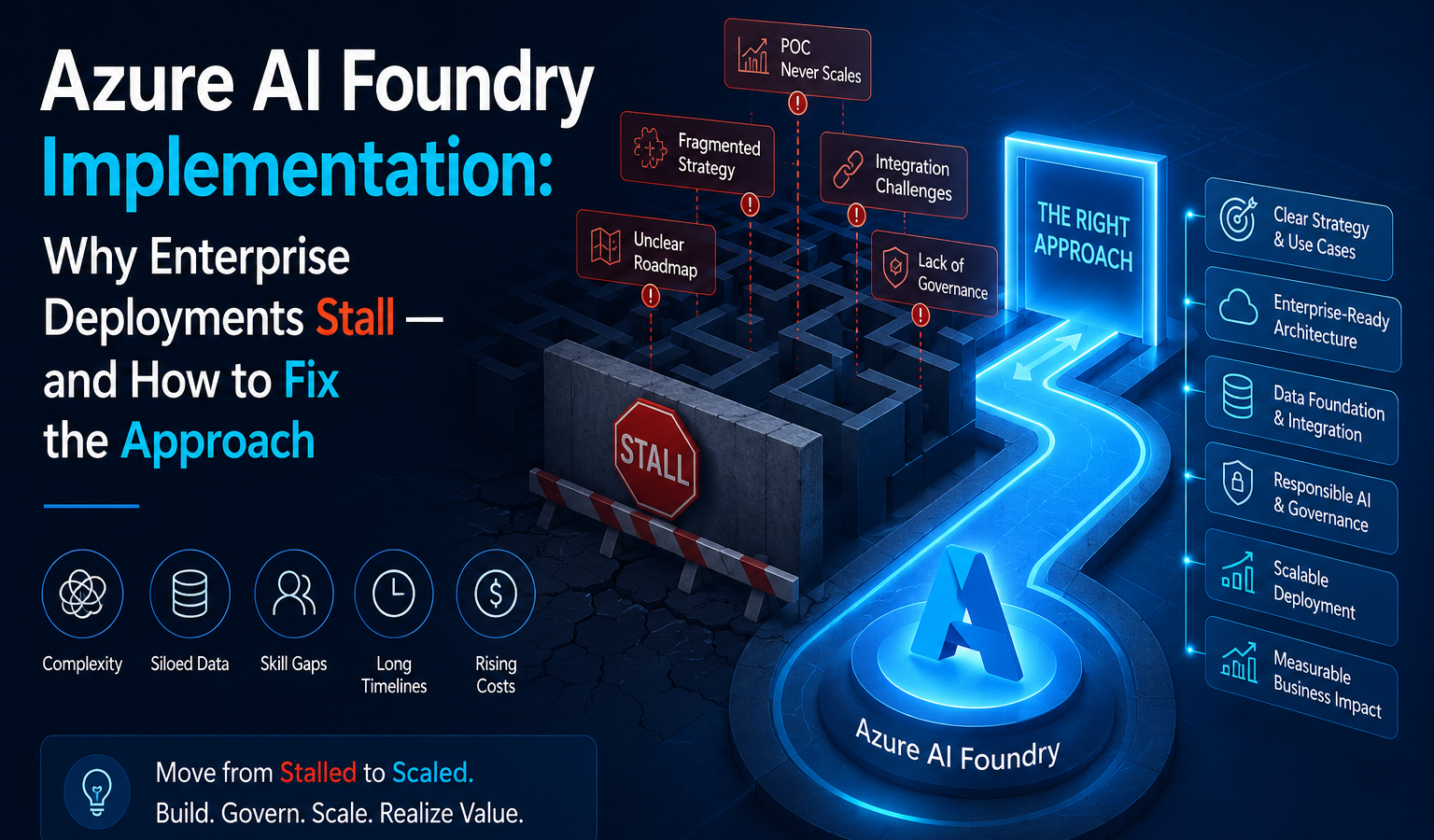
Foundry is an end-to-end platform for building, deploying, and governing enterprise AI. Without a deliberate implementation strategy, organizations end up with siloed models, no version control, and AI workloads that never make it past the pilot stage. The platform has the capability. The gap is always in how it gets stood up.
This blog covers the three structural mistakes that derail most Azure AI Foundry implementations, what a sequenced approach looks like in practice, and what CTOs, CIOs, and AI leads can do right now to avoid the re-architecture cost that comes from getting the foundation wrong.
Why Azure AI Foundry Implementation Fails Before It Scales
The pressure to move is real. Boards are asking for AI outcomes. Teams are spinning up environments fast.
|
80%+
of enterprises will have used
GenAI APIs or apps by 2026 |
<5%
had done so in 2023
Gartner, 2023 |
That speed creates a specific kind of problem. Models get deployed without a defined lifecycle or access controls, and within months teams are duplicating work across departments with no versioning and no centralized monitoring. At that point, the fix is rarely incremental it typically means pausing delivery to re-architect the foundation, which costs far more than getting the sequencing right the first time.
“The platform was not the problem. The implementation approach was.”
The 3 Mistakes That Compound Over Time
What a Structured Implementation Actually Looks Like
A reliable implementation follows six stages, in sequence:
to a production-ready environment with two to three live AI use cases, when this sequence is followed.
Longer term, McKinsey’s research on MLOps has found that organizations with mature deployment pipelines and model governance train, test, and deploy models many times faster than those approaching AI as a craft rather than a discipline (McKinsey) because the infrastructure decisions don’t need to be relitigated for every new workload.
How Gradient M Approaches This Differently
Most implementation partners treat Foundry as a deployment ticket configure the environment, run a handover session, and close the engagement. What gets left behind is the work that actually determines whether AI scales: aligning platform architecture to real use cases, building governance and MLOps pipelines before problems surface, and ensuring internal teams can operate the platform independently.
We treat Azure AI Foundry implementation as a transformation program. We use Microsoft’s AI Central pattern for load balancing across Azure OpenAI endpoints essential for enterprise-scale reliability alongside Azure Policy and Defender for Cloud to keep governance operational rather than decorative. This is also where the broader case for a data and AI foundation applies Foundry implementation is a specific, high-stakes instance of the same discipline.
“The measure of a successful engagement is not a working environment at handover. It’s a team that knows what to build next.”
Conclusion
If you are planning an Azure AI Foundry implementation, the single most consequential early decision is your hub-and-project structure. Get it wrong and governance, security, and model management all become harder to fix without stopping and restarting.
Start with a readiness assessment: map your Azure landing zone, confirm the right resource providers are enabled on your subscription, and identify your top three AI use cases by business value. Microsoft’s Foundry documentation provides a solid architecture baseline, but the structural decisions benefit from a practitioner’s eye before the first resource is deployed.